Time-Off Configuration
Types define what a kind of leave is; policies define who gets how much of it. Get the two layers straight and everything else follows.
Time-off types
A type (Vacation, Sick, Compassionate…) carries every behavior of that leave. The pay side: its Pay Code (how it appears on payslips), whether it deducts regular pay (Does this type deduct regular pay? — on means the leave displaces the period's salary rather than paying on top of it), whether it counts in statutory calculations (e.g., Will NIB be calculated for this time-off type?), and lump-sum/advance payment options. The balance side:
| Switch | Effect |
|---|---|
| Should this time off type have a balance? | Off = unlimited type with no balance tracking (e.g., jury duty). |
| Does this type rollover? | Unused days carry into the new year instead of resetting. |
| Does this type accrue? | Balance builds over the year rather than granting up front. |
| When Does The Year Start? | Calendar year or the employee's hire anniversary. |
| Allow balance to go negative? | Requests can exceed the balance. |
| Hide balance from user? | Employees don't see this balance (typical for compassionate leave). |
The request-behavior switches: supporting document required, back-dating allowed, probation requests allowed, blackout date adherence, ignore workdays/holidays, and Use the work schedule to determine the days? which pre-selects scheduled days on multi-day requests.
Presentation & Policy
A second section on the type form controls how the type introduces itself to whoever is about to request it. Everything in it is optional — a type nobody has configured behaves exactly as it did before these fields existed.
| Field | Effect |
|---|---|
| Category | Groups the type in the request picker — "Paid leave", "Statutory", "Unpaid". Free text, so the first type in a new group can name it; the categories already in use are listed underneath, which is what stops "Paid leave" and "Paid Leave" becoming two groups. |
| Order within category | Lower numbers list first. Categories themselves follow their lowest-numbered type. |
| Colour | Used for this type everywhere it appears — calendar chips, dots, balance rings, legends. Left empty, a colour is derived from the name. |
| Pay treatment | Paid, Unpaid, or Decided at approval. This is what the request form tells someone about pay before they submit. Choose "Decided at approval" rather than guessing — the request flow will say so honestly instead of promising the wrong thing. |
| Notice required (working days) | Flags a late request to whoever approves it, and is quoted on the request form. It does not block the request. |
| When a request exceeds the balance | Only shown where the type both holds a balance and allows it to go negative — see below. |
| Policy lines | One rule per line, shown beside the request form under the type's own name. For example: "Requests over 5 days need two approvals." Blank lines are dropped, and a type with no lines shows no policy card at all rather than an empty one. |
When a request exceeds the balance
Allow balance to go negative? says whether an overage is permitted. This setting says what to do with it, and it only appears once the negative balance is allowed:
| Choice | Effect |
|---|---|
| Allow, paid in full (the balance goes negative) | The default. The request goes through, every day is paid, and the balance simply goes negative. No balance check and no split. |
| Block the request | The overage is refused after all — a deliberate way of saying the permission exists but this case doesn't qualify. |
| Allow, unpaid, with extra approval | The request is accepted and divided: the days the balance covered, and the days beyond it. The split is recorded on the request at the moment it was agreed. See Time Off Requests for what the requester and approver each see. |
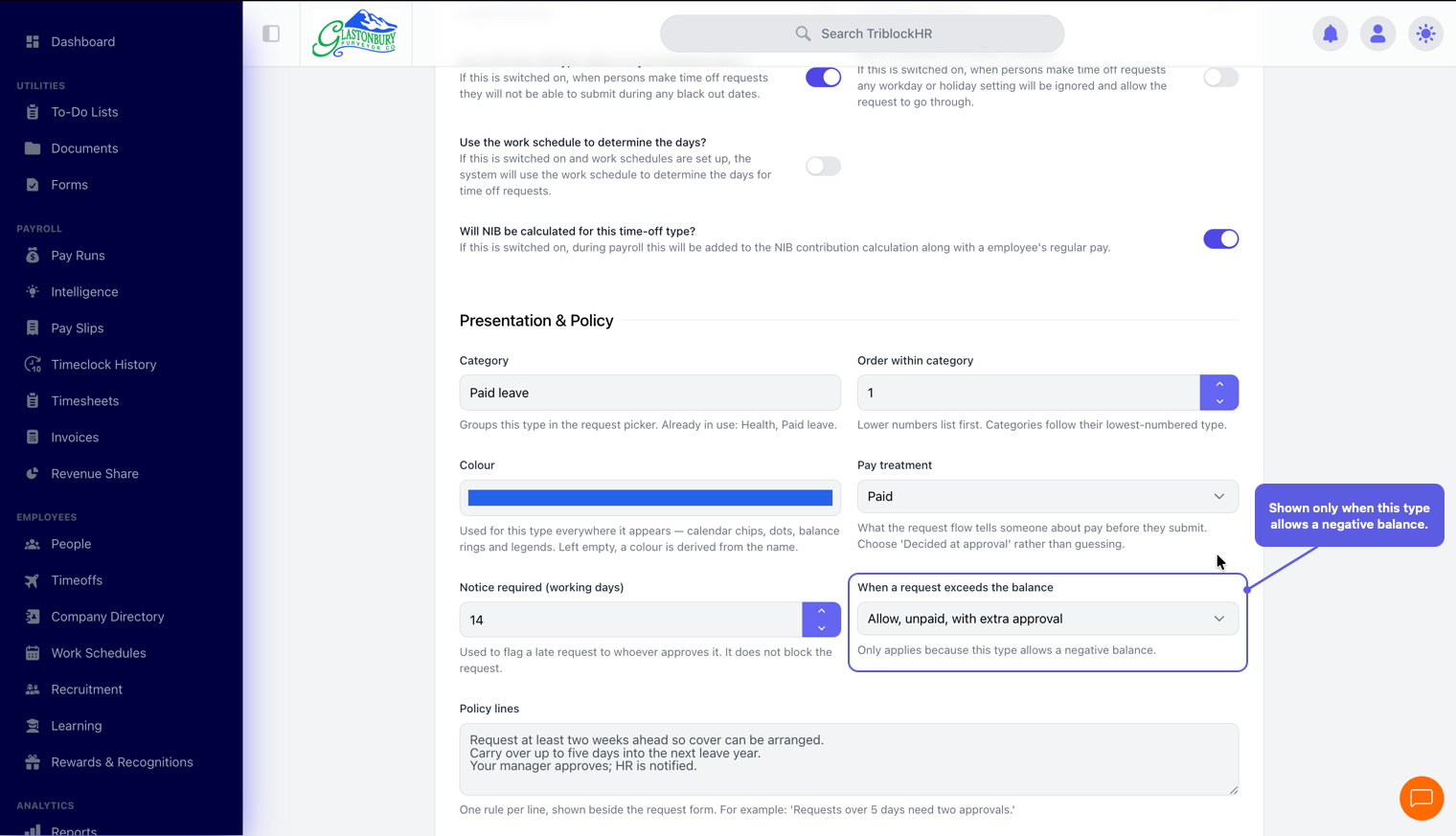
Presentation & Policy on a leave type
Save as: admin-guide__settings__time-off-config__shot2.png
Time-off policies
A policy is assigned to each employee (it's required at creation) and answers "how much": per type, it holds thresholds — days allowed by length of service. Five days in year one, ten after a year, fifteen after five: three threshold rows. Policies can also override a type's rollover/accrual/year-start settings for their members, and restrict new hires from requesting leave until they've served a set number of months.
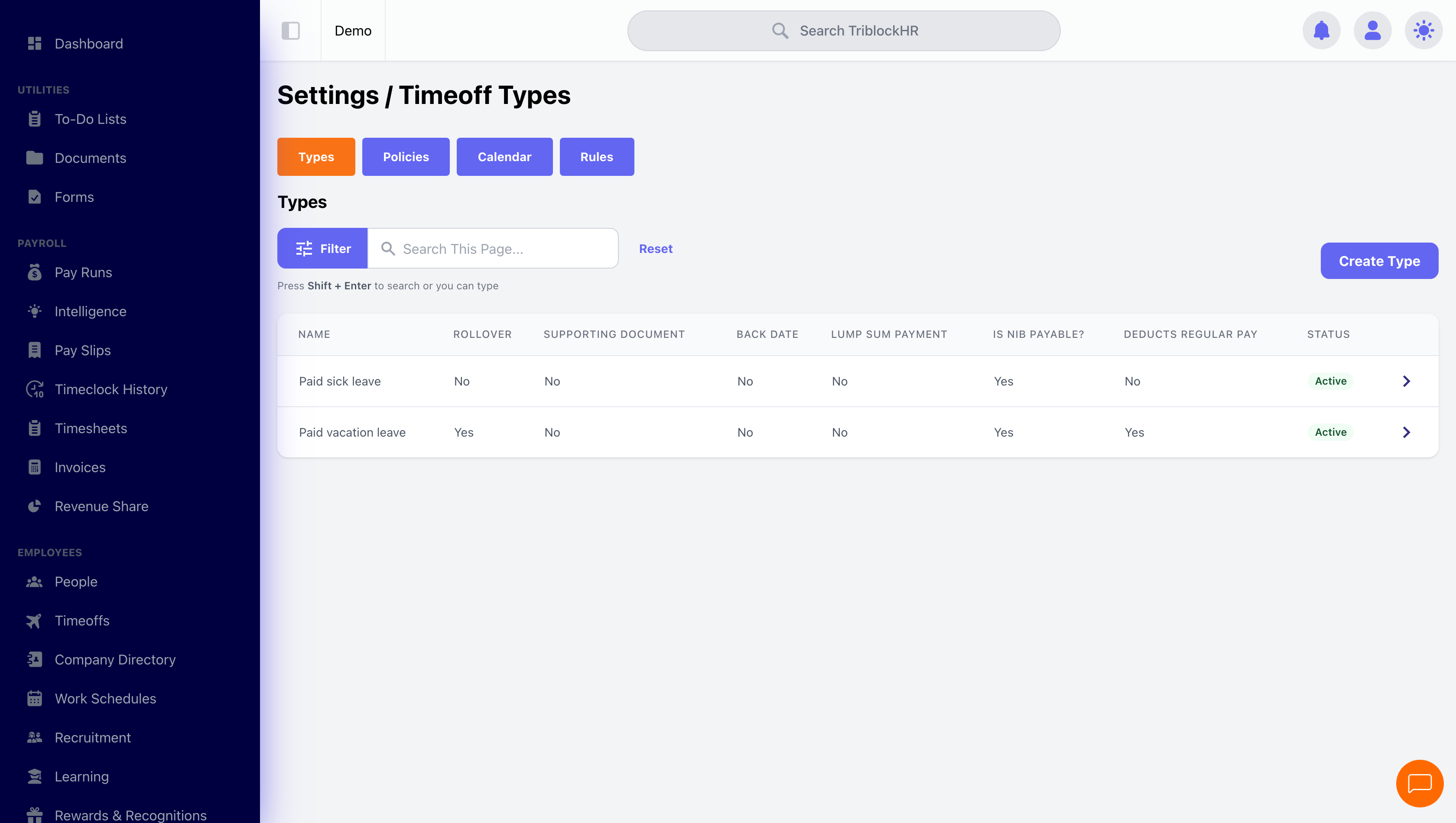
Rules
Settings → Time Off → Rules holds account-wide guards that apply across every leave type. Today it carries one, under Leave Types:
| Setting | Options |
|---|---|
| A leave type that pays a salaried person twice "A type that uses a balance, pays at a rate above zero and does not deduct regular pay pays a salaried person their full salary and the leave on top of it." | Allow it to be saved (the default) or Refuse to save it. |
Changes here are recorded in your account's history, so you can see when the rule was tightened and by whom.
Blackout dates, calendar, and workdays
Blackout dates are picked on a calendar and block requests on those dates for every type that adheres to them — your December freeze, stocktake week, carnival weekend. Calendar privacy controls who sees what on the company time-off calendar and on a person's Time Off tab: Private (only people the viewer may already see appear at all), Semi-Private (everyone appears, but another person's leave type reads as Out of Office to anybody who is not an Administrator or HR Administrator — and their note and attachment are withheld with it, since those disclose the same thing), or Public. Two rules sit on top of the setting: nobody is ever masked from their own record, and on Who's Out an employee never sees a colleague's leave type at any privacy level, Public included. Workdays defines your working week — it's what makes a Monday-to-Friday vacation request count 5 days, not 7.
Vacation policy from zero (5–6 min)
Save as: admin-guide__settings__time-off-config__vid1.mp4