Off-Cycle Pay Runs
For payments outside the regular schedule — bonuses, corrections, severance top-ups, missed hours.
How off-cycle differs from a regular run
A regular run pulls earnings in automatically from timesheets and salaries. An off-cycle run starts empty — as the creation screen says: "Off cycle pay runs do not include earnings, deductions or allowances by default. You must add them manually."
| Regular (on-cycle) | Off-cycle | |
|---|---|---|
| Earnings | Automatic from timesheets / salary | Added manually per employee |
| Standing allowances & deductions | Included automatically | Not included — add manually if needed |
| Time off | Included | Not applicable |
| Employees already paid this period | Excluded | Can be included (that's the point) |
| Statutory deductions | Calculated | Calculated, on top of the regular run's year-to-date figures — annual caps are shared, not reset |
| Approval and payslips | Identical — same statuses, approval, publish, and payslips | |
▶ Video placeholder
Paying a one-off bonus (3–4 min)
Screen recording: create an off-cycle run, show that it starts empty (point at the zero amounts), add earnings to two employees with "Add Earnings", use "Distribute Evenly", approve and publish. Mention on camera that taxes still apply — it's the most common customer question about bonuses.
Save as: admin-guide__payroll__off-cycle__vid1.mp4
Creating an off-cycle run
- On Pay Runs, click Create Pay Run → Create Off Cycle. (Or flip on Make This An Off Cycle Pay Run during regular creation.)
- Pick the payroll group, pay period, and pay date as usual. Off-cycle runs show an OFF-CYCLE badge so they're easy to spot in the list.
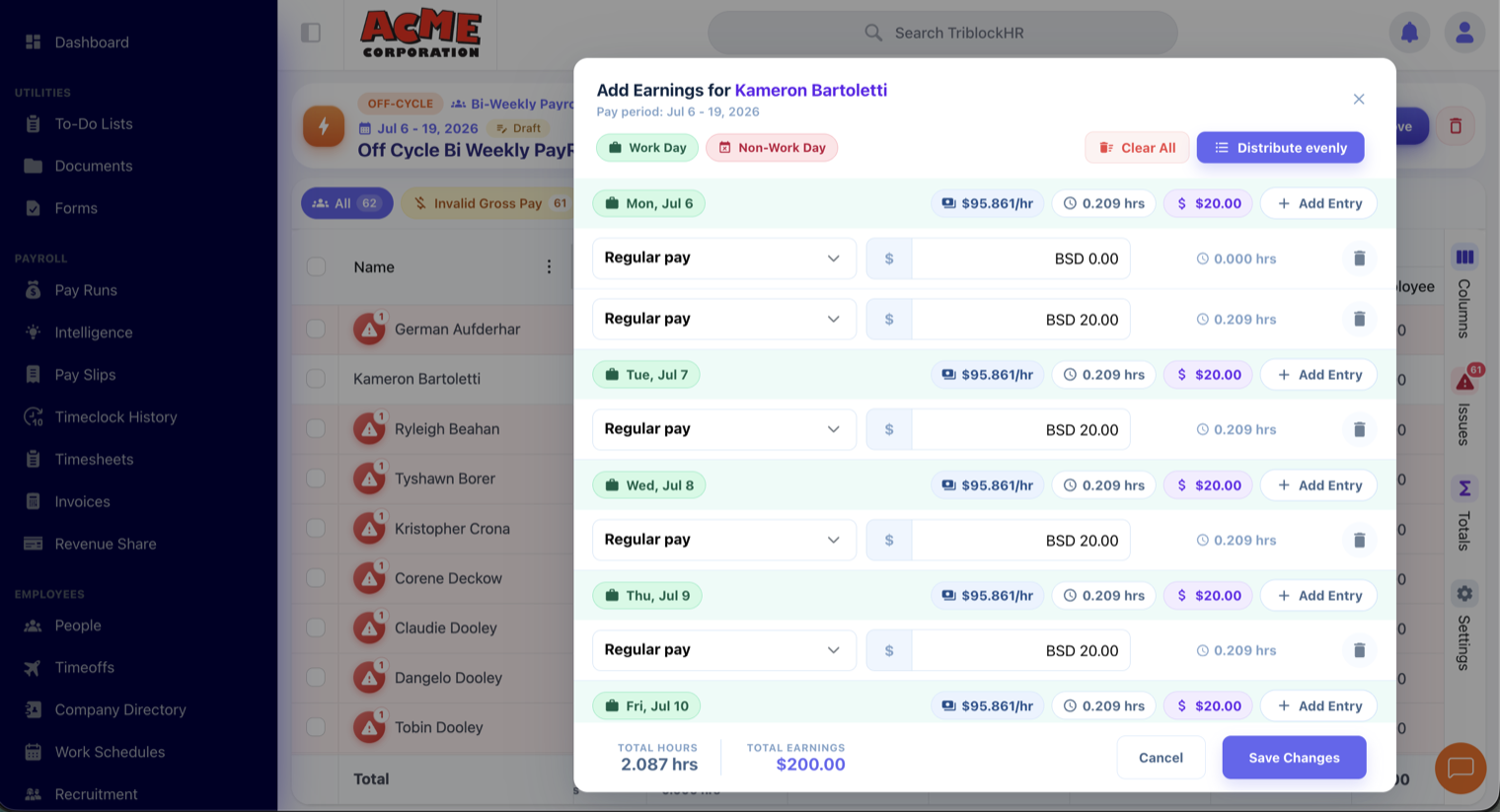
- Open the run. Right-click an employee (or select several) and choose Add Earnings.
- Enter amounts by date in the earnings grid. Distribute Evenly splits a total across the selected dates.
- Add any allowances or deductions that should apply, per employee, via the right-click menu.
- Review, Approve, and Publish exactly like a regular run.
Taxes still apply
Off-cycle payments go through the same statutory engines as regular pay. Contributions count toward the same annual caps as the regular run — an off-cycle bonus doesn't get taxed in a vacuum.
When to use which
| Situation | Use |
|---|---|
| Missed hours discovered after the regular run published | Off-cycle run with the missing amount |
| One-time bonus outside the normal pay date | Off-cycle run |
| Error caught before the regular run is approved | Fix the regular run — edit hours or amounts and recalculate |
| Error caught after approval but before publishing | Recall the regular run, fix, re-approve |