Payroll Overview
Everything you need to pay your people accurately and on time — from setting up payroll groups to publishing payslips.
Payroll in TriblockHR — 3-minute tour
Save as: admin-guide__payroll__index__vid1.mp4
How payroll works in TriblockHR
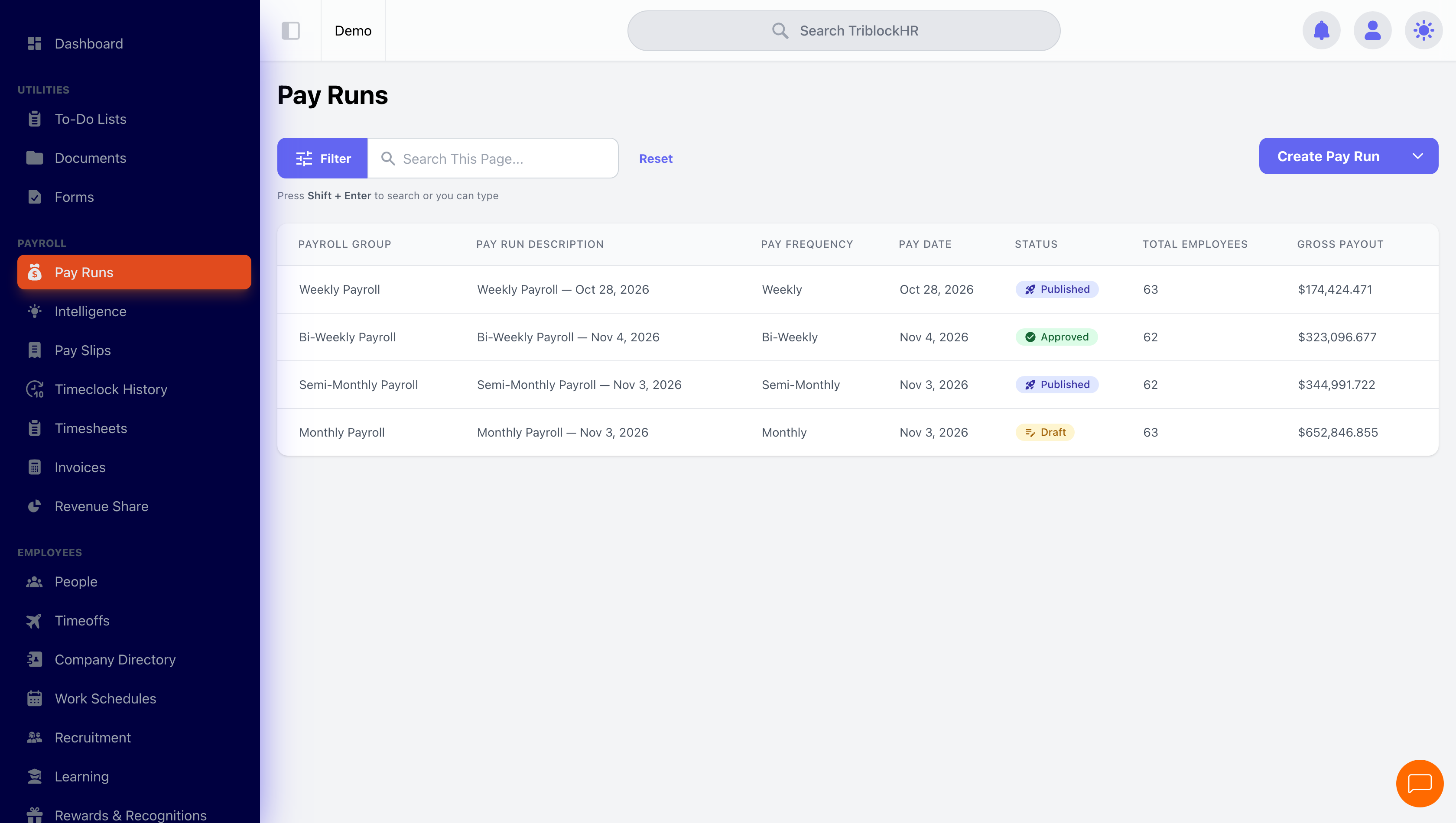
Payroll in TriblockHR is built around the pay run. A pay run takes a group of employees, a pay period, and everything the system knows about their pay — hours from timesheets, approved time off, salaries, allowances, deductions, loans, and the statutory contributions for your country — and turns it into reviewed, approved payslips.
The typical monthly rhythm looks like this:
- Set up once: create your payroll groups — who gets paid on what frequency. Most companies do this once and rarely touch it again.
- During the period: employees clock in or submit timesheets, and time-off requests get approved.
- Before pay day: create a pay run. TriblockHR calculates everything automatically and flags anything that looks wrong.
- Review: use the Pre-Run Review to check variances and exceptions against previous runs.
- Approve and publish: approval locks the run; publishing makes payslips available to employees and updates year-to-date totals.
- After publishing: download bank files and accounting exports, and run your statutory reports.
Who can do what
| Role | Access |
|---|---|
| Payroll Admin | Full access: create, edit, calculate, approve, publish, and cancel pay runs; manage tax configuration. |
| HR Admin (with the salary-handling permission) | Same as Payroll Admin, except tax configuration. |
| Payroll Clerk / HR Clerk (with the salary-handling permission) | View pay runs, employee details, and exports. Cannot make changes. |
Supported jurisdictions
TriblockHR calculates statutory deductions automatically based on your company's payroll country. Each jurisdiction has its own engine with the correct rates, brackets, and contribution caps:
| Country | Statutory items calculated |
|---|---|
| The Bahamas | NIB |
| Jamaica | PAYE, NIS, NHT, HEART, Education Tax |
| Trinidad & Tobago | PAYE, NIS, Health Surcharge |
| Barbados | PAYE, NIS, Resilience & Regeneration Fund |
| Saint Lucia | PAYE, NIC |
| Turks & Caicos | NIB, NHIP |
Where things live
| Screen | What it's for |
|---|---|
| Pay Runs | Create, review, approve, and publish pay runs. |
| Payslips | Browse and download payslips across runs. |
| Timesheets | Review and approve employee timesheets. |
| Payroll Groups | Define pay frequencies and who belongs to each. |
| Payroll Intelligence | Variance, hygiene checks, and change tracking across runs. |