Seeing Your Team
Who shows up as yours, where to find their records, and the attendance picture you get day to day.
Who counts as your team
It depends on how you manage them. As a direct manager, your team is the people named to you on their employment records — your direct reports. As a department or division manager, it's everyone in that unit. You see the same kinds of records either way; the difference is just who's in the set.
Their time clock, at a glance
Your dashboard carries a subordinates' time-clock panel beneath your own — a live read of who's clocked in, who's on break, and who hasn't started. It's the fastest answer to "who's actually here right now?" without chasing anyone.
If your company has enabled it, you can also fix a report's missed punch — add or correct a clock entry when someone forgot, with a reason recorded against the change. That setting plus timesheet-handling rights is what unlocks it; without them, missed punches go to HR. (Your reports' side of this is in Fixing a Missed Punch.)
Attendance signals
Depending on your company's schedule settings, you'll be notified when a team member clocks in late, clocks in without a scheduled shift, or is heading into unscheduled overtime. These are nudges, not automatic actions — the punch still stands; the alert just puts it in front of you to address. Schedules and these rules are set up by your admin (Clock Rules).
Finding a report's records
Open a team member from your dashboard, the company directory, or any approval, and you reach the records you're allowed to see: their profile and contact details, time off, timesheets, work schedule, time-clock history, documents, and disciplinary actions. What you won't see is their pay — salary and compensation stay with payroll and HR, even for your own reports.
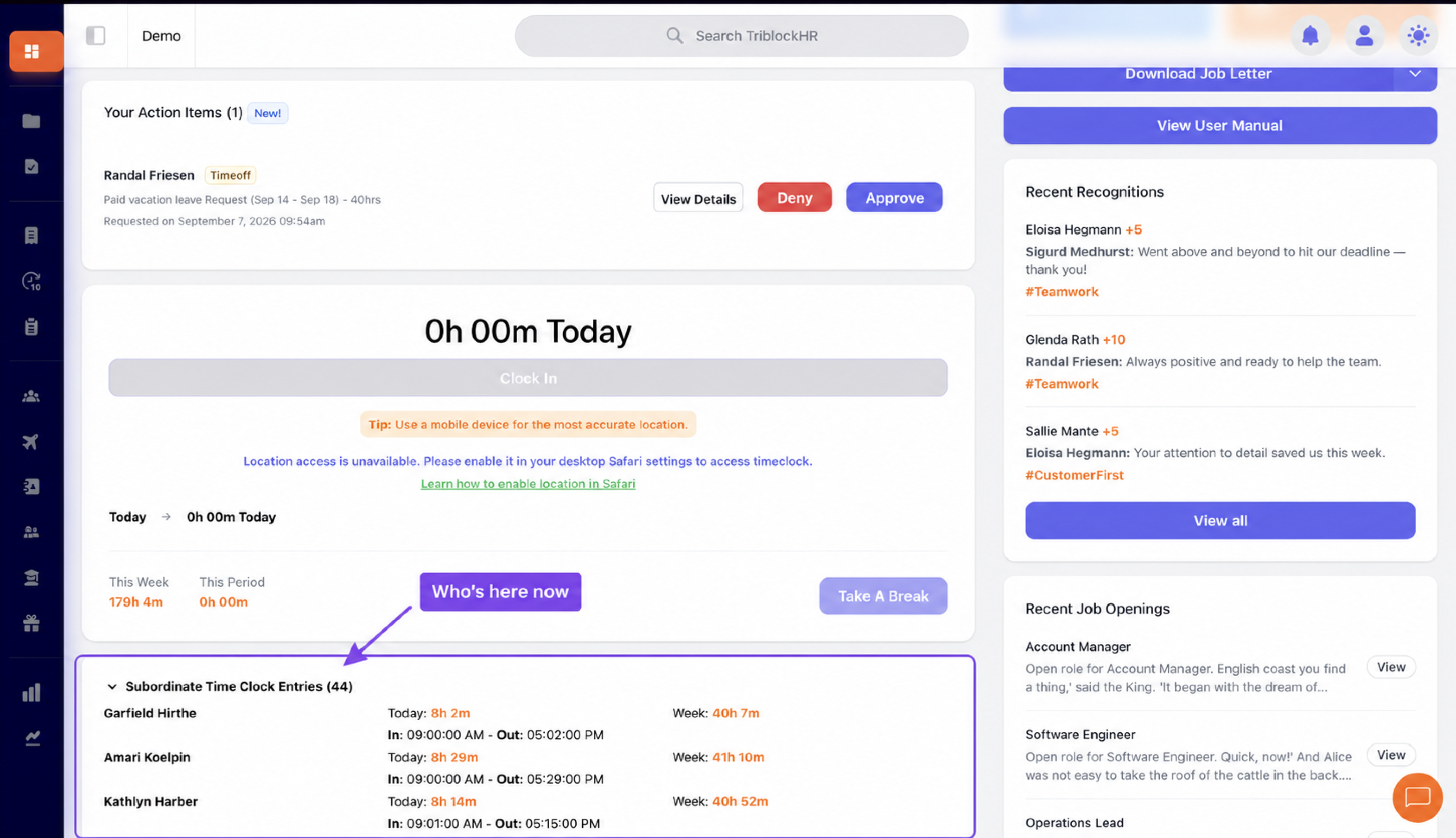
Subordinates' time-clock panel
Save as: manager-guide__your-team__shot1.png