Hiring for Your Team
When HR names you a position's hiring manager, you run the candidates — review, evaluate, and move them toward an offer. Here's your side of recruitment.
How you get into a hire
HR creates the job posting and names you (and any co-interviewers) as its hiring manager. From that point the position's candidates are yours to work. You don't create or edit the posting itself — that stays with HR — and you only see the positions you're assigned to, not every open role in the company. If you should be on a hire and aren't seeing it, ask HR to add you as a hiring manager on that position.
Working your candidates
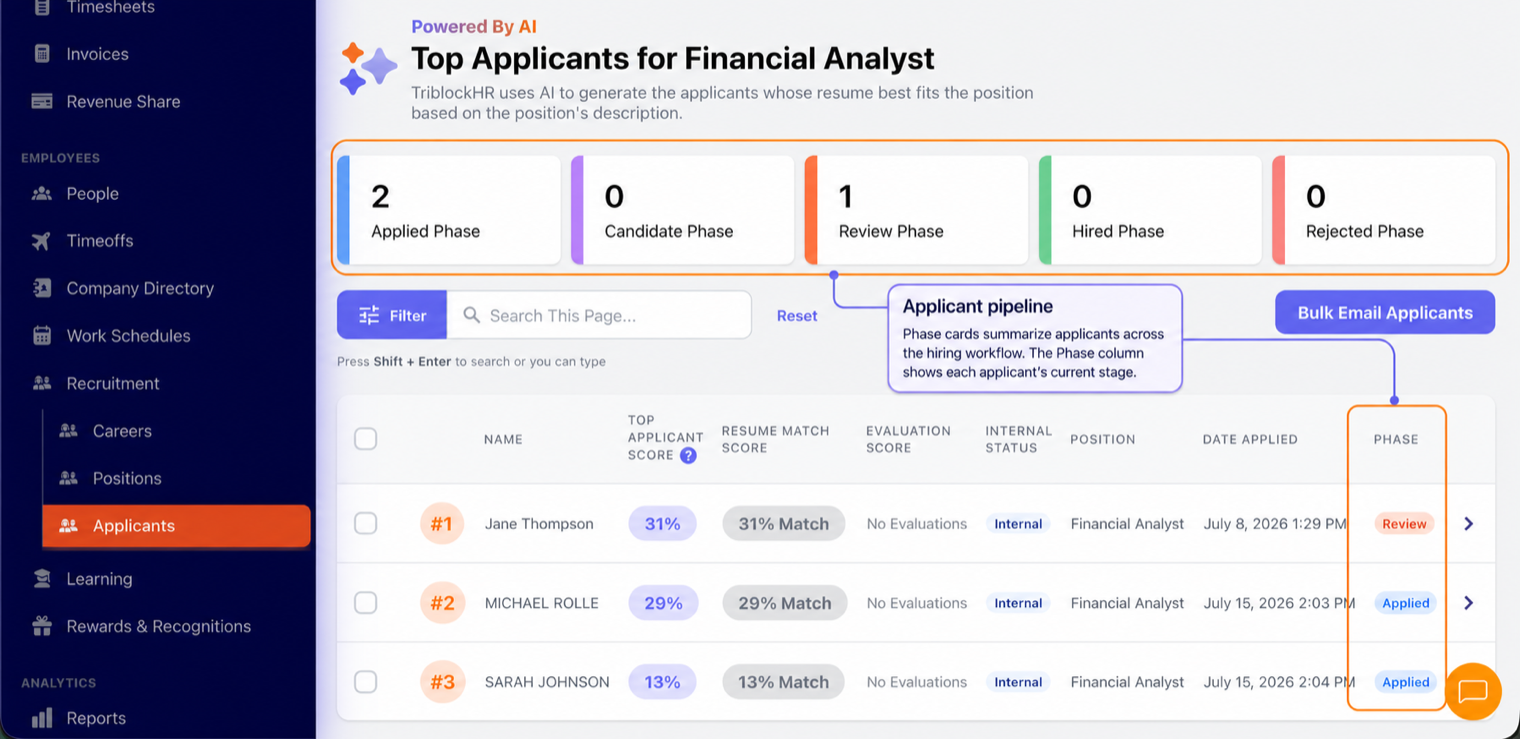
Open Recruitment and you'll see the applicants for your positions, organized by hiring stage (applied, screening, interview, offer, and so on). For each candidate you can:
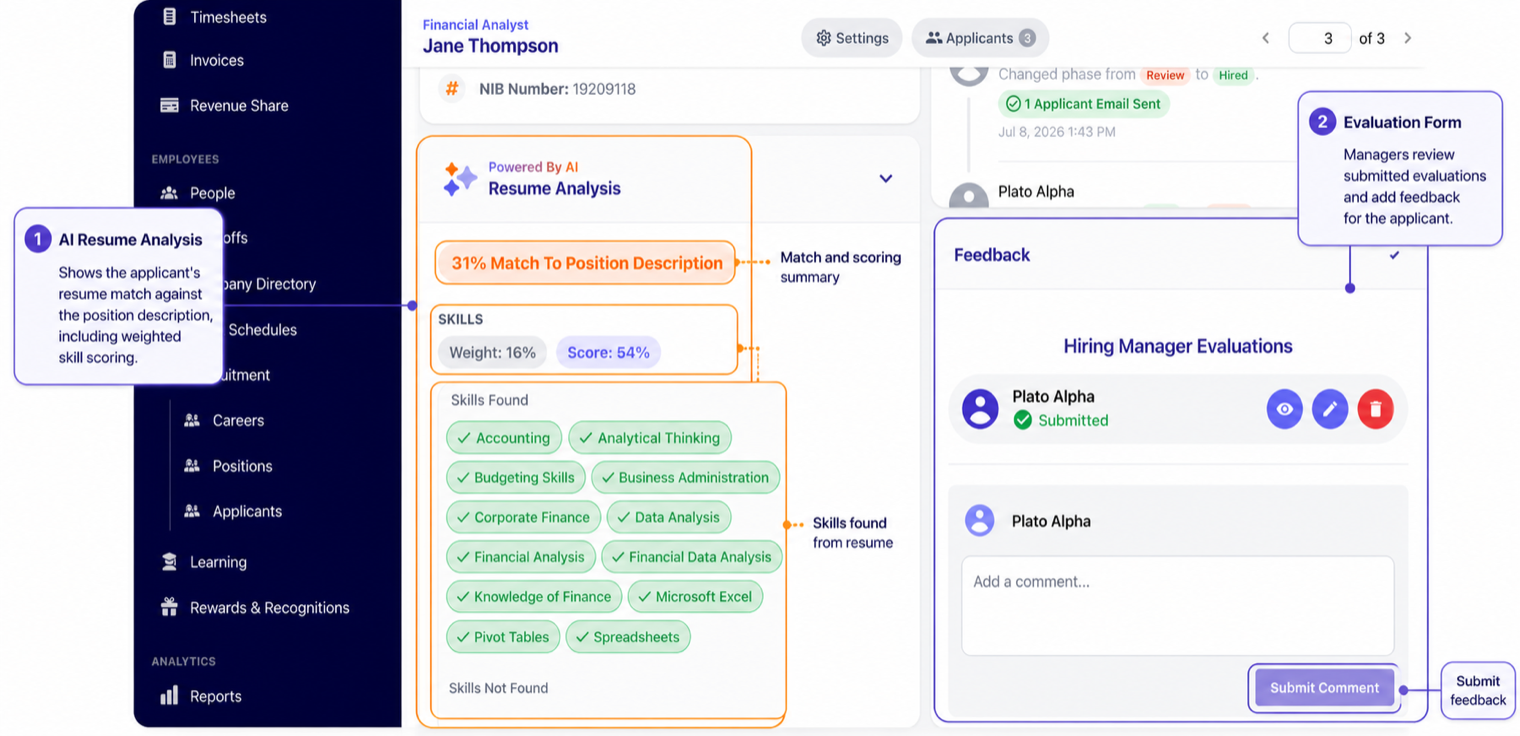
- Read the full application — resume, profile, answers to your screening questions, and the AI resume analysis that scores how well they fit the role.
- Evaluate — fill in the hiring-manager evaluation (the scoring form HR attached to the position). Your scores feed the candidate's overall evaluation and the Top Applicants ranking.
- Comment — leave notes for the rest of the hiring team on the candidate's record.
- Move them along — change a candidate's phase as they progress or drop out, one at a time or several at once.
- Email candidates — individually, or in bulk (a batch of rejections at the end of a search, say), using templates.
From hired to employee
When you move a candidate to the hired stage, TriblockHR can hand their details to HR to create the employee record — but that final step (and everything after: bank account, welcome email, first payroll) is HR's, not yours. Your job ends at "this is the one"; theirs begins at onboarding. The full pipeline from HR's side is in the Recruitment guide.
Running a hire as the hiring manager (3–4 min)
Save as: manager-guide__hiring__vid1.mp4