Reviews & Recognition
Two of the better parts of managing in TriblockHR: scoring your team's performance reviews, and giving recognition that actually shows up.
Performance reviews
When HR runs a review cycle, you're the reviewer for your direct reports. You score and comment on their review while they complete their own self-assessment — and TriblockHR keeps the two apart: you can't see their self-assessment as a draft, and they can't see your scores, until the review completes. The privacy runs both ways on purpose.
- Open the review from your notification or the Performance area. Your reports' submitted self-assessments appear alongside your scoring questions.
- Score and comment. Save For Now keeps a draft; submit when you're done. If your cycle has multiple approval stages, yours may need to finish before the next stage opens — so don't sit on it.
- When both sides are done, a Sign Off step finalizes it (where your company requires sign-off).
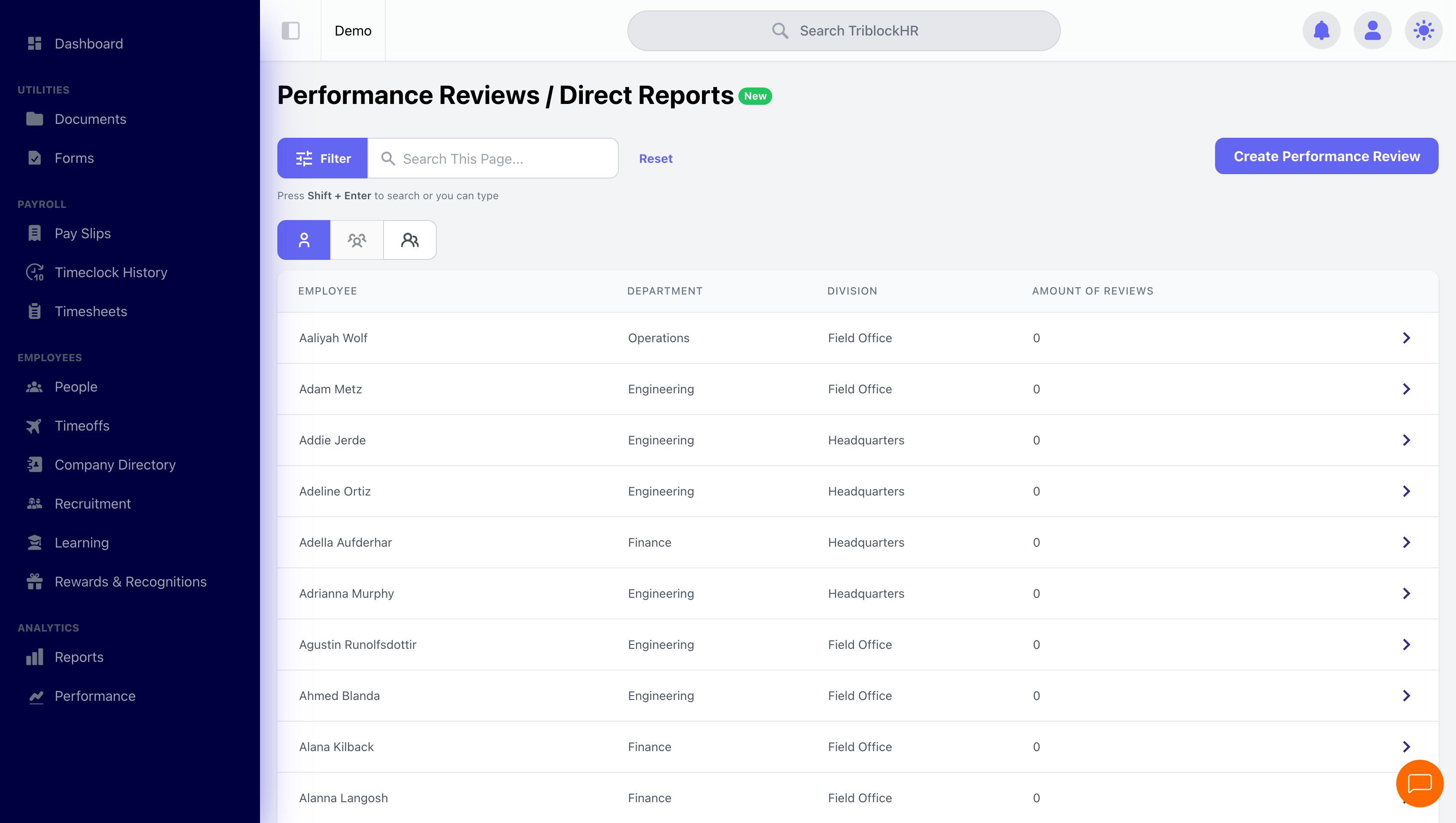
Your Direct Reports dashboard
The Direct Reports view is the manager's overview of the people you manage — each report with their review status and history, average rating, completion rate, and time since their last review. It's the closest thing to a one-screen read on how your team's development is tracking, and it's there whether or not a cycle is currently running.
Recognizing your team
As a manager you can give recognition points — and you can do it even at companies where regular employees can't give points, because managing a team qualifies you automatically. Give a kudos from the Recognitions feed: name the person, tag a company value, attach points from your monthly budget, and add a short message. It posts to the company feed, and your report can spend earned points in the reward catalog. The mechanics are the same as anyone's — full detail in Kudos & Rewards.
Reviewing and recognizing your team (3–4 min)
Save as: manager-guide__performance-recognition__vid1.mp4