Clock Rules & Notifications
The schedule isn't just a plan — it can police the time clock. These settings connect the two.
The thresholds
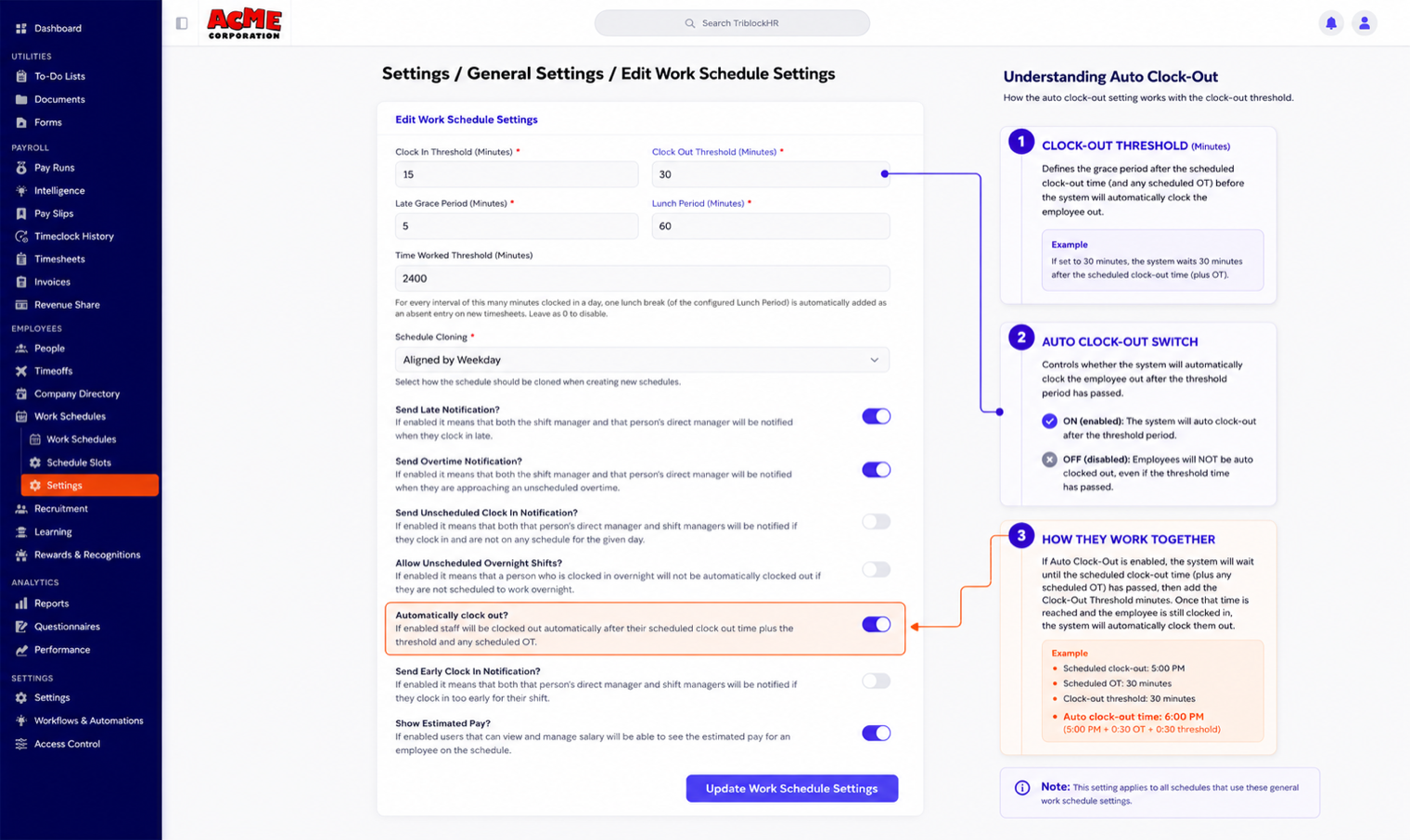
Work schedule settings define the tolerances between scheduled times and actual punches:
| Setting | What it controls |
|---|---|
| Clock In Threshold (Minutes) | How early before the shift an employee may clock in. |
| Late Grace Period (Minutes) | How late a clock-in can be before it counts as late. |
| Clock Out Threshold (Minutes) | How long after shift end a punch can stay open before the rules below kick in. |
| Lunch Period (Minutes) | The standard lunch deduction for scheduled shifts. |
Automatic clock-out
With Automatically clock out? enabled, employees still on the clock after their scheduled shift end plus the clock-out threshold (plus any scheduled overtime on the shift) are clocked out by the system. Their timesheets recalculate automatically. The Allow Unscheduled Overnight Shifts? switch is the escape hatch: with it on, someone working overnight without a scheduled overnight shift won't be force-clocked-out at midnight.
Manager alerts
| Switch | Who gets told what |
|---|---|
| Send Late Notification? | Shift manager and direct manager are alerted when an employee clocks in past the grace period. |
| Send Early Clock In Notification? | Alert when someone clocks in earlier than the threshold allows. |
| Send Unscheduled Clock In Notification? | Alert when someone clocks in with no scheduled shift that day. The punch still goes through — this informs, it doesn't block. |
| Send Overtime Notification? | Alert when an employee is approaching unscheduled overtime. |
What publishing notifies
When a schedule is published, every scheduled employee gets the shift list by in-app notification and email (and Slack where connected), including the schedule period and the shift managers' contacts. The notification also gives managers visibility of approved time off that overlaps the schedule — context for last-minute fixes.
Connecting schedules to the clock (3 min)
Save as: admin-guide__schedules__clock-rules__vid1.mp4