Your Timesheet
If you're paid by the hour, your timesheet is how your hours become your pay. Here's how to fill it in and send it for approval.
Do you fill in a timesheet?
It depends how your company tracks time. If you clock in and out, your hours may flow onto your timesheet automatically — check with your manager. If you enter your own hours, this is your page. Salaried staff usually don't fill in timesheets at all.
Filling it in
- Open Timesheets and either open the timesheet for the current pay period or click Create Timesheet and pick the Pay Period.
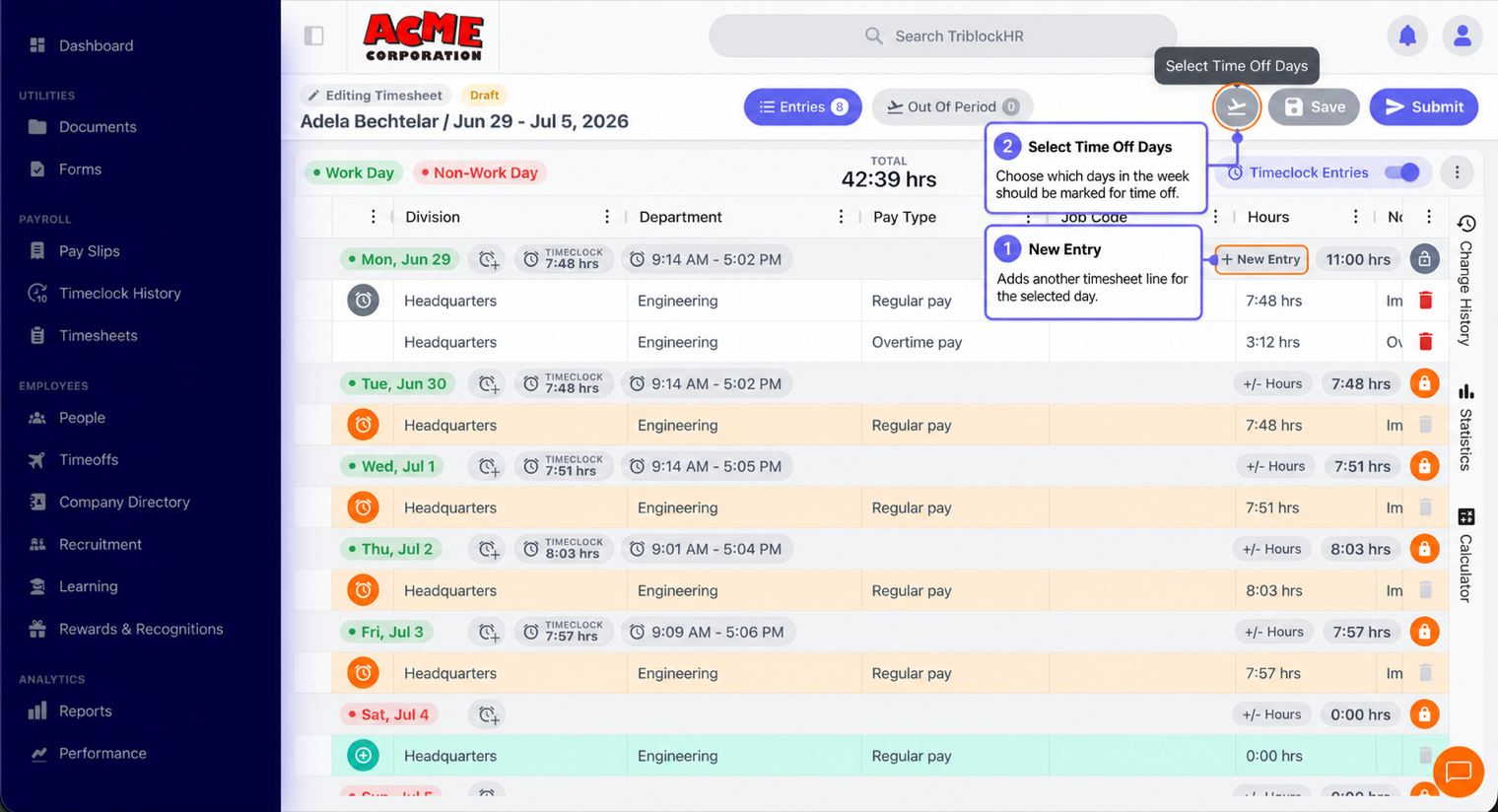
- For each day you worked, add a line: the date, the Pay Code (regular hours, overtime, and so on — your company sets these), and the Hours. Add a note if something needs explaining. Use Add Entry for more than one line on a day.
- To include approved leave, use Select Time Off Days — it pulls your approved time-off days onto the timesheet so they're paid. Days outside this period show on the Out Of Period tab.
- The total hours show at the bottom. A reminder tells you your company's standard hours for the period, so you can sanity-check your total.
You can save and come back — your timesheet stays a Draft until you submit it.
Submitting, and what the statuses mean
| Status | What it means |
|---|---|
| Draft | You're still working on it. Editable; not yet sent. |
| Pending Approval | Submitted and waiting on your manager. |
| Approved | Signed off and locked. These hours go to payroll. |
| Denied | Sent back to you — open it to see why, fix it, and submit again. |
Submit when the period's done. If it comes back Denied, that's not a problem — read the reason, correct the hours, and resubmit. A denied timesheet can also be deleted if you'd rather start over.
Common questions
I took approved leave but it's not on my timesheet.
Use Select Time Off Days to pull approved days in. If they were approved after you created the timesheet, they won't appear automatically — adding them this way fixes it. Still missing? Ask your manager to check.
I submitted, then realized I made a mistake.
Ask your manager to deny it (or, if they can, edit it). Once it's back to you or denied, you can correct and resubmit. Once it's approved, only an admin can reopen it.
Filling in and submitting your timesheet (2–3 min)
Save as: employee-guide__time__timesheet__vid1.mp4