Your Profile
What's on it, what you can update yourself, and the three things worth keeping current.
What's there
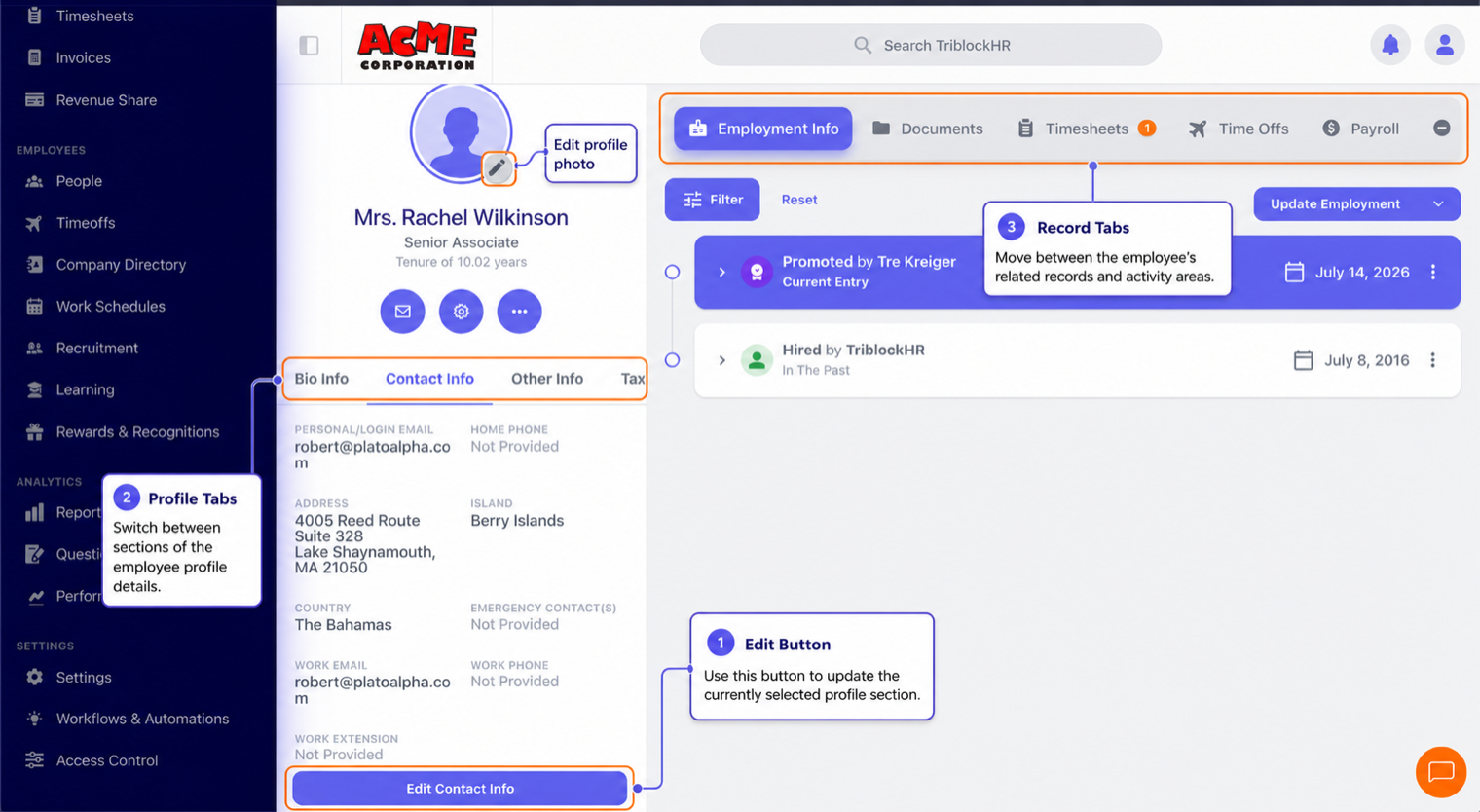
Your profile collects everything the company holds about your employment: personal details in the Bio Info, Contact Info, Other Info, and Tax Info tabs, plus your employment history, documents, and links to your payslips, time off, and timesheets. Managers see their team's profiles; your payslips and pay details stay restricted to you and authorized payroll staff.
What you can update
Depending on your company's setup, you can edit your own personal details — address, phone, emergency contacts, photo — straight from the tabs. Some companies route changes through an approval first; if so, your edit shows as pending until HR signs off. Employment details (title, salary, department) always change through HR.
Keep these three current
- Your bank account. It's where your pay lands. Moving banks? Update it (or ask HR to) well before pay day.
- Your tax identifiers. Your NIB/TRN/NIS numbers drive your statutory contributions — wrong or missing numbers hold up payroll and your government records.
- Emergency contacts. The information nobody needs until they urgently do.
Common questions
I can't edit a field.
Employment fields are HR-managed, and some companies disable self-editing entirely. Ask your HR team to make the change.
Where are my documents?
The Documents tab on your profile holds files shared with you and files you upload — contracts, certificates, IDs. Who else can see them depends on each document's visibility, set by whoever uploaded it.
My job title or salary looks outdated.
Changes take effect on their effective date, so a future-dated promotion won't show as current until that date arrives. If something genuinely never got recorded, HR can add it to your employment history.
Touring your profile (2 min)
Save as: employee-guide__profile__index__vid1.mp4