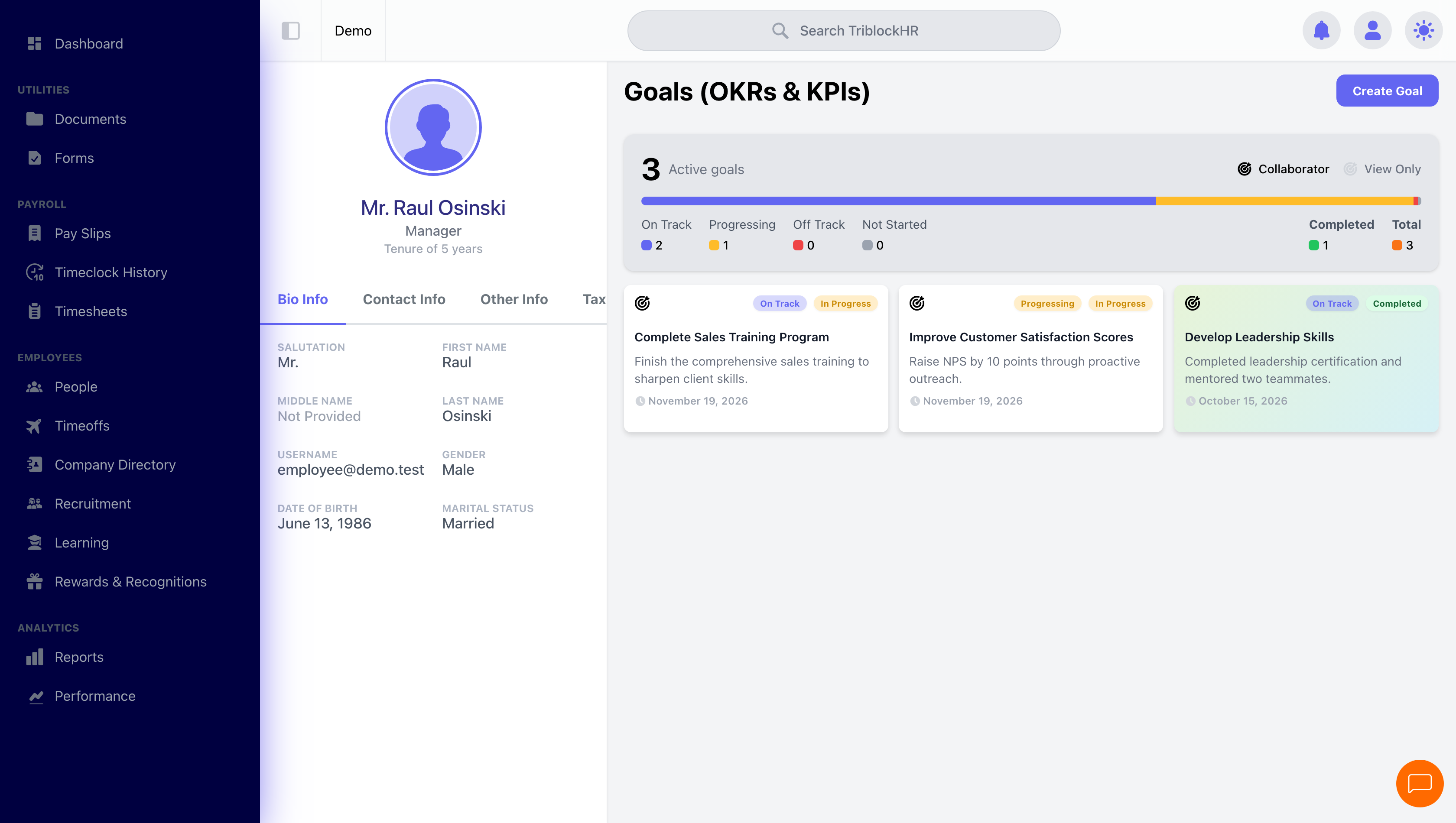
Your Goals
Set goals for yourself, track them with milestones, and mark them done. They're yours to own — not something only your manager controls.
Setting a goal
- Open Goals (OKRs & KPIs) on your profile and click Create Goal.
- Give it a Title and Description, set a Start Date and Due Date.
- Add anyone who should share the goal as a collaborator — they can update its progress alongside you (your manager, a teammate on a joint goal).
- Add Milestones — the check-in points between start and finish. TriblockHR spaces them out for you by default; adjust as needed.
Tracking progress
Progress lives in the milestones. Update each one's status as you go:
| Status | Means |
|---|---|
| On Track | Going to plan. |
| Progressing | Moving, but watch it. |
| Off Track | Slipping — needs attention. |
| Not Started | The starting point for every milestone. |
Updating a milestone notifies your collaborators, so a goal you share with your manager keeps them in the loop without a separate update.
Finishing a goal
Once every milestone has a status (none left at Not Started), the Mark As Completed button appears. A completed goal locks to view-only — its record stays as part of your history. You can edit a goal freely while it's in progress; Goal Settings holds Edit Goal and Delete Goal.
Who sees your goals
You and your collaborators see and update a goal. HR can see goals across the company. So a goal is a useful place to make progress visible to your manager — add them as a collaborator and your milestone updates reach them automatically.