Viewing Your Payslip
Where to find your payslips and what every line on them means.
Finding your payslips
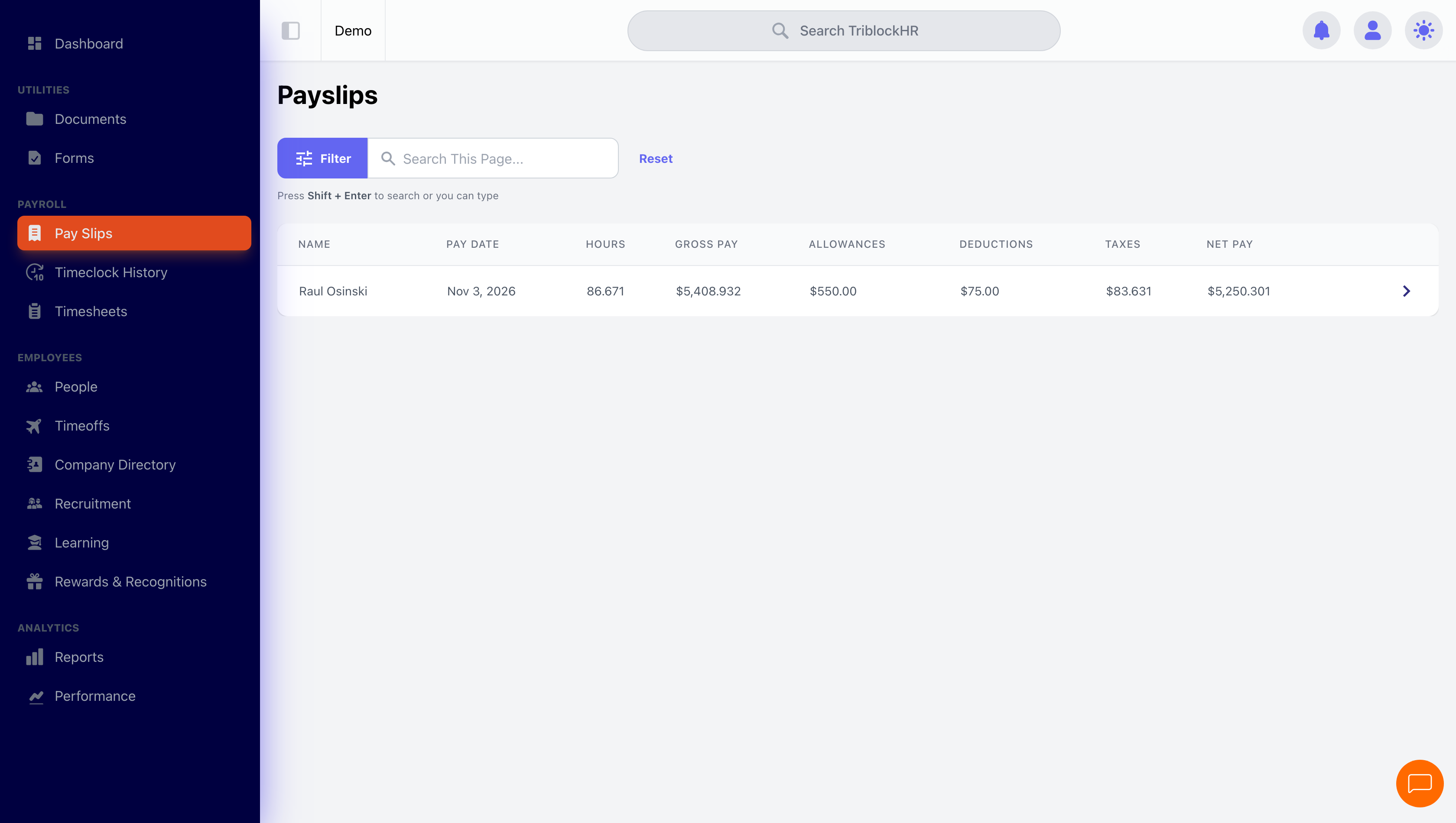
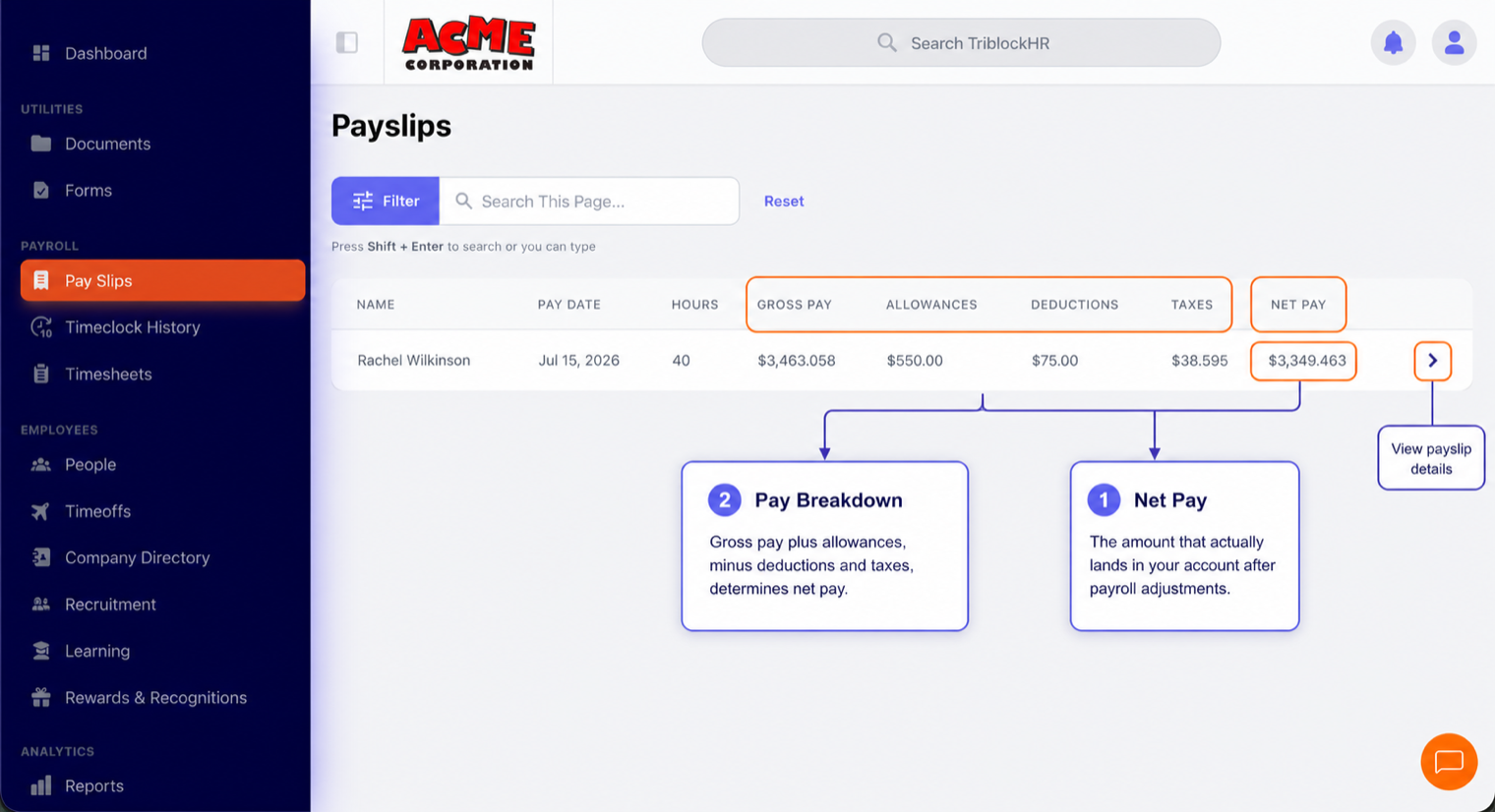
Open Payslips from your menu. You'll see one row per pay date showing your hours, gross pay, allowances, deductions, taxes, and net pay. Click any row to open the full payslip as a PDF — you can save or print it from there.
Payslips appear as soon as your company publishes the pay run, and you'll get a notification when a new one is ready.
Reading your payslip
| Section | What it means |
|---|---|
| Earnings | Your pay before anything is taken out, split by type: regular hours, overtime, holiday pay, paid time off. Hourly staff see hours next to each line; salaried staff see the salary portion for the period. |
| Allowances | Extras on top of base pay — housing, transport, commissions, bonuses. |
| Taxes | Statutory contributions required in your country — for example NIB in the Bahamas, or PAYE, NIS, NHT, HEART and Education Tax in Jamaica. These rates are set by law, not by your employer. The taxes section shows both your own contribution and your employer's share side by side, labelled EE (employee) and ER (employer) — only the EE amount comes out of your pay. |
| Deductions | Other amounts taken out: loan repayments, insurance, pension contributions, or anything you've authorized. |
| Net pay | What actually lands in your account: earnings + allowances − taxes − deductions. |
| Bank distribution | If your pay is split across accounts, this shows how much went to each (account numbers are masked for security). |
| Time-off balances | How much vacation, sick leave, and other leave you have left, by type. |
| YTD (year-to-date) | Running totals for the year — useful for loan applications and tax filings. |
Reading your payslip (2–3 min)
Save as: employee-guide__payroll__index__vid1.mp4
Common questions
My pay looks different this period. Why?
The usual reasons: overtime or fewer hours than last period, a new loan deduction starting, a raise taking effect, unpaid leave, or crossing a statutory contribution cap (which can make taxes drop late in the year). Compare the earnings and deductions sections against last period's payslip — the difference is almost always visible there. If it still doesn't add up, ask your payroll administrator.
I took approved time off but don't see it paid.
Time off is paid through your timesheet. When your request was approved, the days should have been added automatically — but if payroll for that period had already been approved or published, or your request was still pending when payroll ran, the days may be missing. Ask your manager or payroll administrator to check your timesheet for that period.
Can I get an older payslip?
Yes — every published payslip stays in your Payslips list. Scroll or sort by pay date.
Something on my payslip is wrong.
Contact your payroll administrator. If the run needs correcting, they can fix it and you'll receive an updated payslip; small corrections may instead arrive as a separate (off-cycle) payment.