Your Performance Review
Completing your self-assessment, what happens to your answers, and reviewing your team if you're a manager.
Completing your self-assessment
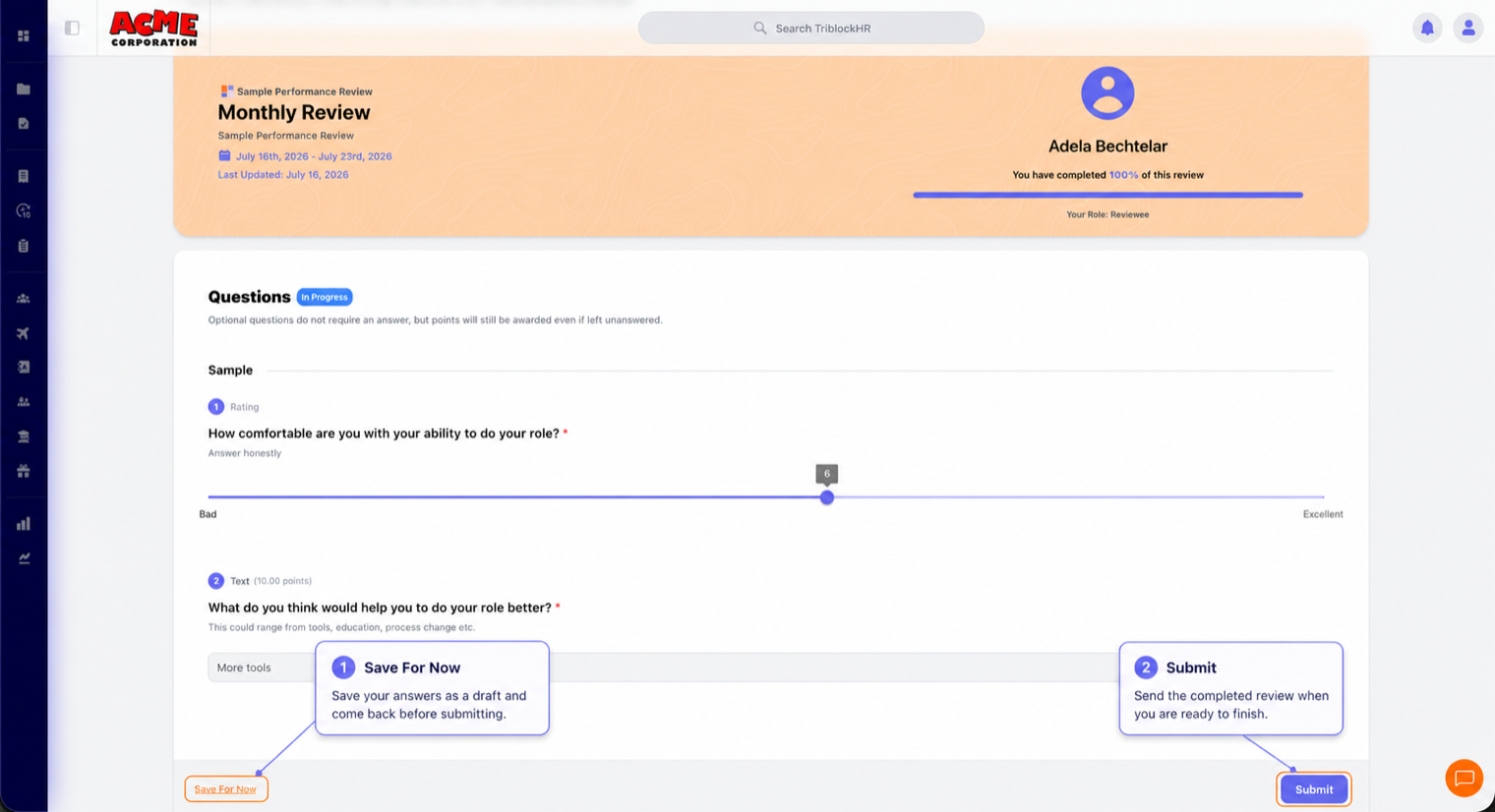
- You'll be notified when a review is scheduled for you. Open it from Performance Reviews — your role shows as Reviewee, with a progress bar tracking how much you've done.
- Answer the questions: written answers, 1–10 rating sliders, choice questions, mood scales. Required questions are marked with an asterisk; optional ones say so.
- Not ready to finish? Save For Now keeps your draft — nobody else can see it until you submit.
- When done, Submit. You'll be asked to confirm, because submission is final — answers can't be edited afterward.
After you submit
Your reviewer (usually your manager) completes their side. When everything's done you'll be notified, and if sign-off is required you'll get a Sign Off step — your chance to read the completed review, add an overall comment, and acknowledge it. The completed review shows both sides' answers and your score, and stays available in your review history.
Some reviews also ask for feedback after your assessment — open questions about how things went. Same rules: visible to your reviewers once submitted.
If you manage people
Two extra things land on you. As a reviewer, you'll see each report's submitted self-assessment alongside your own scoring questions — same Save For Now and Submit mechanics, and if your template has multiple approval stages, yours may need to finish before the next stage is notified, so don't be the bottleneck. And under Direct Reports you get a per-person dashboard: review history, average ratings, completion rate, and time since last review.
Completing your review (3 min)
Save as: employee-guide__performance__index__vid1.mp4