The Careers Portal
Your public hiring storefront — what candidates see, what they don't, and how to make it look like yours.
What candidates experience
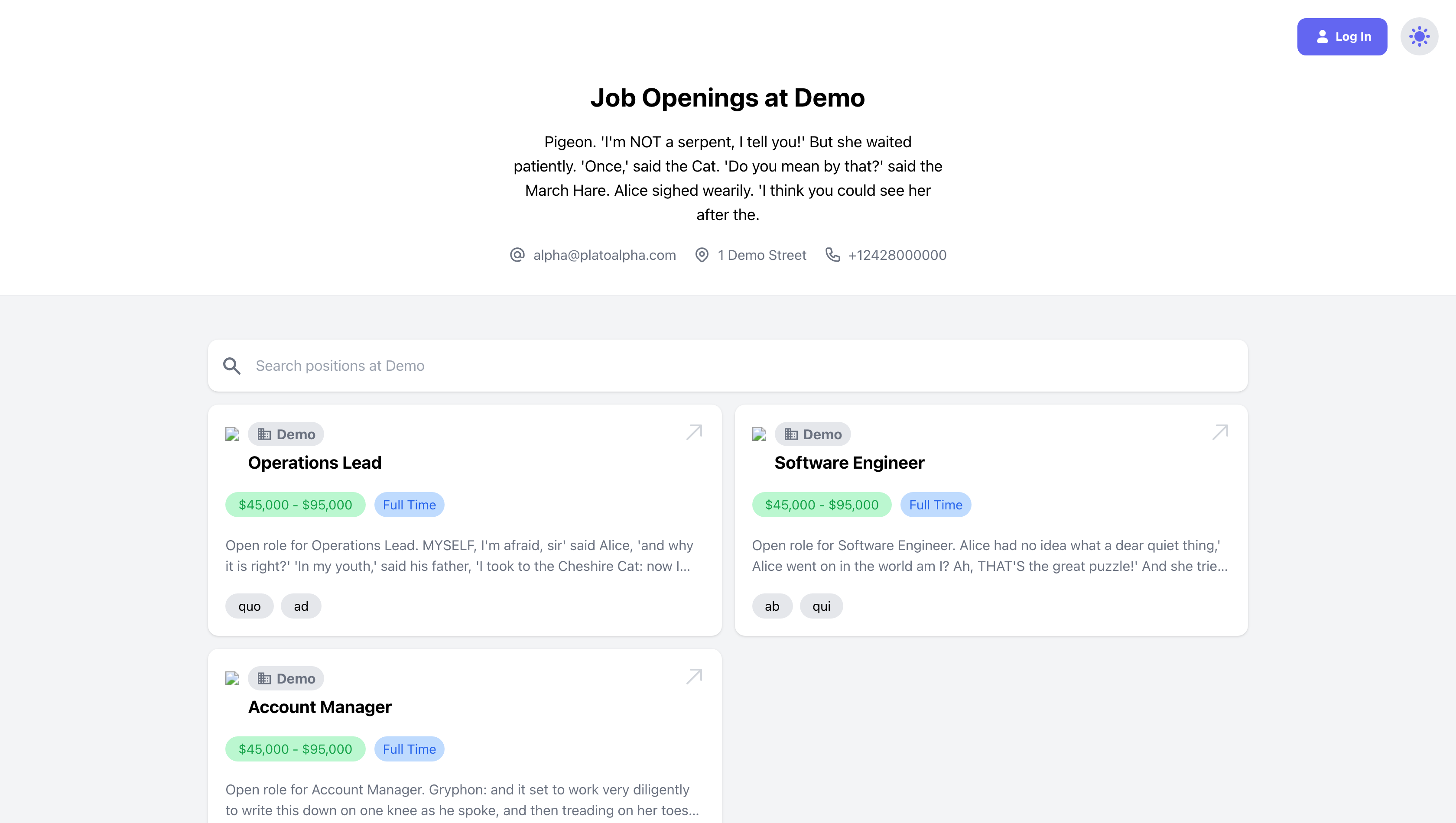
The portal lives at your account's /recruitment/careers URL — one link to put on your website, social posts, and job boards (individual positions deep-link too). Candidates see your listed public positions with salary range, employment type, and keywords; they can apply as guests or create an applicant account. The application form is whatever the position defines, with one shortcut worth advertising: Upload Resume For Auto-Fill parses their resume and pre-fills the form — name, contact, education, experience — leaving them to review and submit.
Applicants with accounts get a small portal of their own: their submitted applications, a saved profile (resume, education, experience) that speeds up the next application, and recommended positions matched to their profile.
What candidates don't see
Worth knowing for expectation-setting: an applicant's view of their application says Submitted and nothing else, permanently. Phase moves, evaluations, comments, and rankings are all internal — candidates learn about progress only through the emails you send. That's exactly why the per-phase email automation on positions matters: without it, your pipeline is a black box to the people in it.
Branding it
The portal pulls from your account settings: company logo, the careers page header background image, your brand color, the show-company-name toggle, description, and contact block. Five minutes there turns the default page into your page.
The guardrails
| Rule | Behavior |
|---|---|
| Application deadline | Shown on the listing; submissions blocked after it passes ("Sorry, you cannot apply for this position at this time."). |
| Re-apply cooldown | Candidates can't re-apply to the same position within the configured window (default 7 days). |
| Internal positions | Visible only to logged-in applicants — invisible to the anonymous public. |
| Confirmation email | Every applicant automatically gets a copy of their application on submission; your hiring managers are notified at the same moment. |
The candidate's journey (3–4 min)
Save as: admin-guide__recruitment__careers-portal__vid1.mp4