Documents & Folders
One company library with folder-level access control, expiry reminders, and a full audit trail on every file.
The library
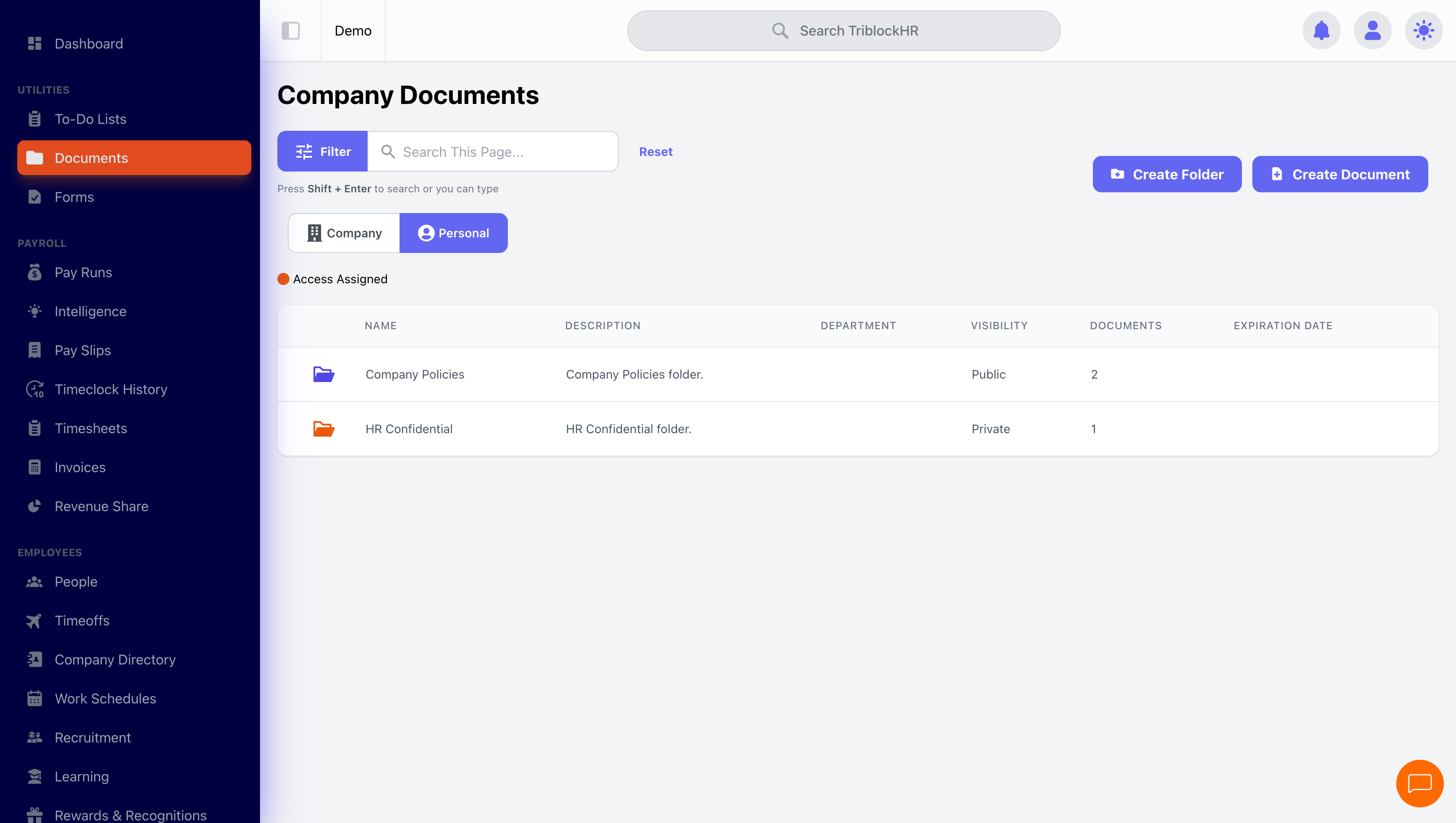
The Company Documents screen lists documents and folders together — name, description, department, visibility, and expiration date, searchable across all of it. A document carries a Name and Description (five characters minimum each), a Document Type from your configured types, an optional department and expiration date, and the file itself.
Who sees what
Visibility is the decision that matters on every upload:
| Visibility | Effect |
|---|---|
| Public | Everyone with the Documents module sees it — handbooks, policies, holiday calendars. |
| Private | Only the users you explicitly grant access see it exists at all. |
Folders make this manageable. A folder carries its own visibility, department, and access list — and every document inside inherits all three, with the inherited fields locked on the document form. Grant your leadership team access to a "Board Papers" folder once, and every file added later is covered. The orange icon in the list marks items you've been explicitly granted; HR and Payroll admins see everything regardless.
Expiry dates and reminders
Anything with a shelf life — work permits, certifications, insurance certificates — gets an Expiration Date. The owner and uploader are notified automatically at three days out, one day out, and on the day. That turns "whose permit lapsed?" from an annual panic into an inbox item.
Audit trail
Every document and folder keeps two histories: metadata changes (who renamed, re-dated, or re-classified, with before and after values) and access changes (who was granted or removed, when, by whom). When the question is "who could see this file in March?", the answer is on the edit page.
Organizing the company library (4 min)
Save as: admin-guide__documents__index__vid1.mp4