To-Do Lists
Reusable HR checklists assigned to employees, with per-person progress tracking. HR admin only.
Creating a list
On To-Do Lists, click Create To-Do List: a Name, an optional description, and the items themselves — reorderable one-liners, at least one required. The list is a template: define "New Hire Equipment Checklist" once, assign it to every new hire.
Assigning and tracking
- From the list's Assignees view, click Add Assignees and pick the employees. Each gets a notification that they've been given tasks.
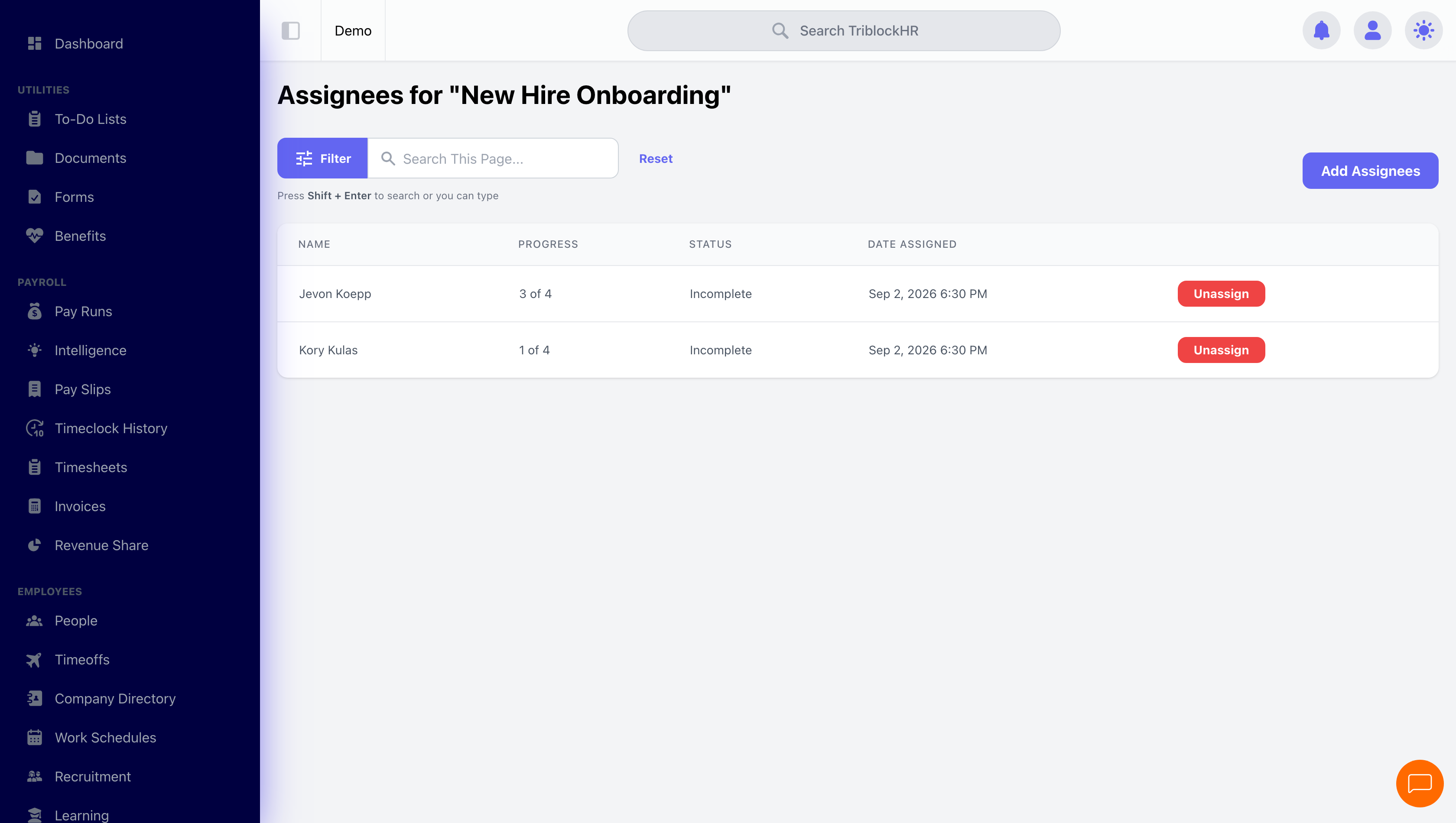
- The assignees table tracks each person: progress ("3 of 10"), Complete / Incomplete status, and the assignment date.
- Unassign removes an incomplete assignment — and deletes that person's item progress with it, as the confirmation warns.
Track completion on the admin side for now
Assigned employees are notified, but the current employee dashboard doesn't yet surface a place for them to tick items off themselves. Until it does, treat the assignees view as the working surface: confirm completion with the person and mark progress from the HR side. (If your team relies on this module heavily, tell your TriblockHR contact — the employee-side checklist is on the radar.)
🖼 Image placeholder
To-do list assignees and progress
Screenshot from a demo admin account: the assignees view for a checklist (e.g. "New Hire Onboarding") showing each person's progress out of the total items. Capture the app viewport only — no browser chrome, address bar, tabs, or desktop menu bar.
Save as: admin-guide__todo-lists__index__shot1.png