Recognition & Rewards
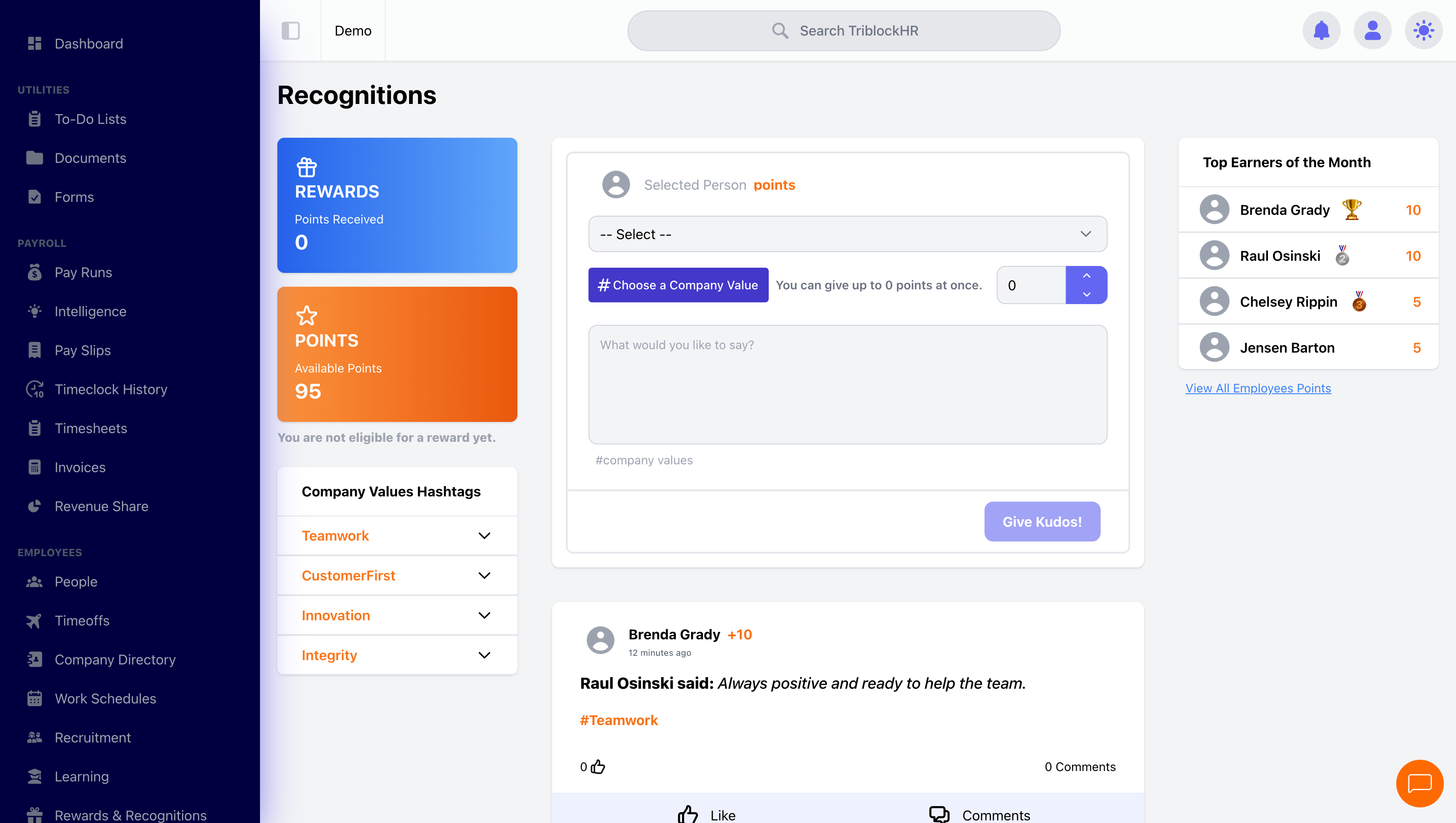
Peer kudos with a points economy behind it: a monthly budget to give, a balance you earn, and a reward catalog to spend it on.
The points economy
Every employee carries two numbers, and keeping them straight answers most support questions:
| Balance | What it is | Behavior |
|---|---|---|
| Available Points | The monthly giving budget | Set per role by your monthly allowances. Resets at month end to the configured amount — unspent budget does not carry over. |
| Points Received | The earned balance | Accumulates from recognitions received; never expires; spent by claiming rewards. |
Giving is capped per kudos by the role's Transfer Limit. Who can give points at all is configurable: admins and managers always can; everyone else only when the Allow Employees To Give Points? setting is on.
The recognition flow
A kudos names a recipient, optionally tags company values as hashtags, attaches points, and carries a message (140 characters). With approvals off, it posts to the company-wide feed instantly and the points move. With Enable Recognition Approvals? on, it sits Pending until a configured approver (or any HR admin) acts on the Approvals tab — Approve moves the points and publishes; Reject moves nothing. Approvers get a weekly Monday reminder of anything pending, and Approve All / Reject All exist for the pile.
Rewards and claims
Employees spend Points Received on the reward catalog. A claim is immediate and final: points are deducted, stock (if the reward has a quantity) decrements, and there's no fulfillment or refund step in the system — the admin Claimed Rewards view is your fulfillment to-do list. You and the employee's manager are notified on every claim; actually handing over the gift card is on you.
Visibility — know before you launch
Fully separate from payroll
Points and rewards never touch pay — no payslip lines, no taxable-benefit handling. If you give rewards with real cash value, check the tax treatment with your accountant and handle anything reportable through payroll allowances separately.