Questionnaires
Web-native surveys and quizzes — sections, nine question types, response charts, and optional scoring.
Questionnaire or form? Pick the right tool
| Questionnaire | Form Submission | |
|---|---|---|
| Built from | Questions you write in the browser | A real PDF document |
| Approval workflow | None — responses come straight in | Multi-stage sign-off chain |
| Output | Charts, summaries, exportable responses | A signed PDF on the employee's record |
| Scoring | Optional quiz mode with points | — |
| Use for | Surveys, pulse checks, training quizzes | Contracts, official records, acknowledgments |
Building one
The editor has three tabs — Form, Responses, Settings. Build in the Form tab: reorderable sections, each holding questions of nine types — single and multiple choice, yes/no, short answer, paragraph, number, date, time, and linear scale (with your own end labels). Mark questions required, and use rich text in titles where formatting helps.
Settings holds two switches that change the game: Is Accepting Responses (the open/closed sign) and Is a Quiz, which adds correct answers and points per question — linear scales can even bind the answer value to the score, handy for self-rating instruments.
Responses
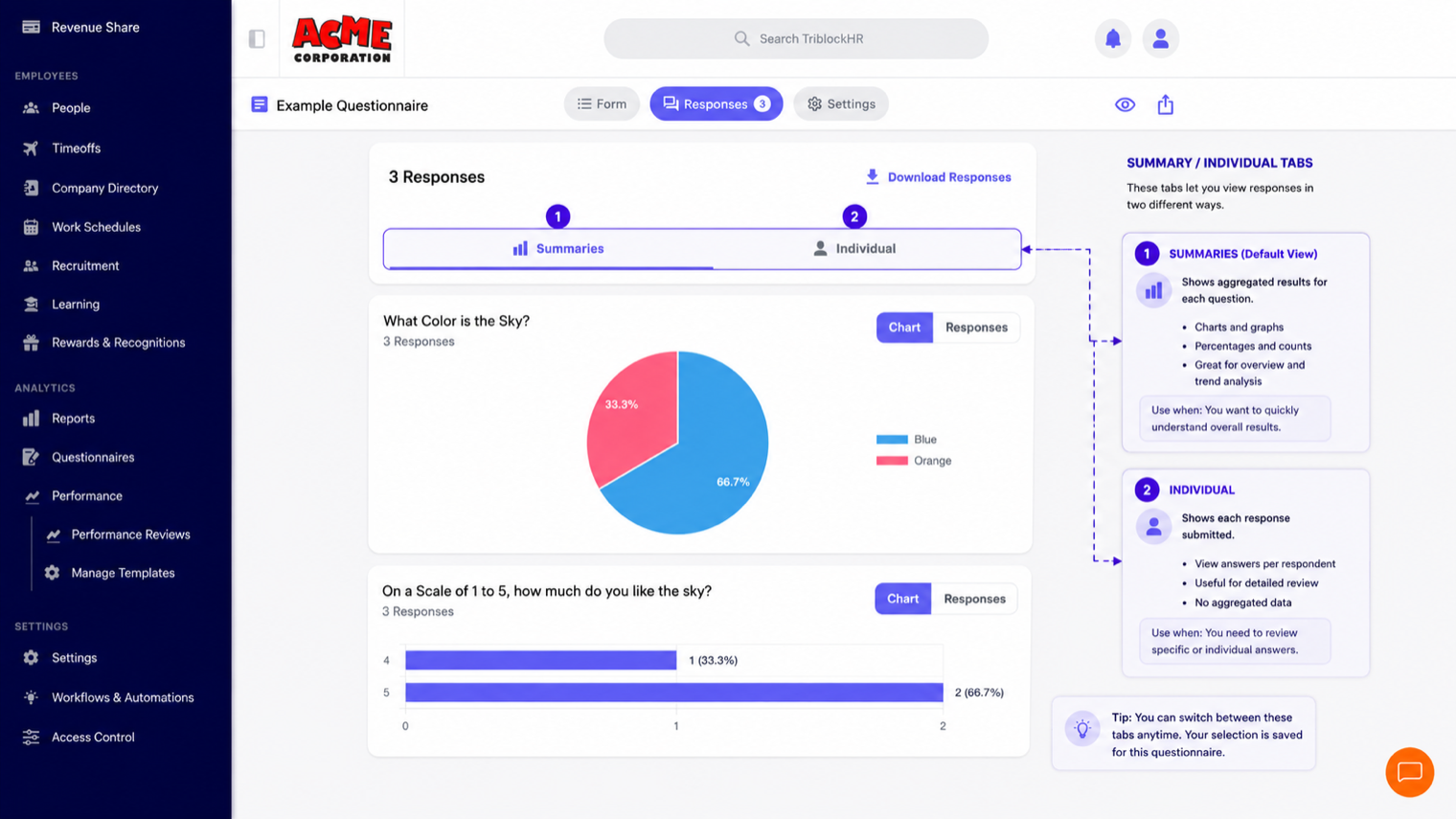
The Responses tab aggregates as answers arrive: per-question charts (pie and bar for choices, distributions for scales, response lists for text), and an individual-responses view per person. Quiz mode adds scores throughout, with manual point overrides where a text answer deserves credit the exact-match check missed. Download Responses exports the lot.
Respondents experience it as a clean sectioned web form — progress through sections, answers held if they navigate back, submit at the end. A preview mode lets you walk it exactly as they will before opening it up.
Pulse survey in 4 minutes
Save as: admin-guide__forms__questionnaires__vid1.mp4